How to Choose the Right Digital Signage Software Company
A practical guide to evaluating digital signage vendors for hardware compatibility, technical depth, integrations, partner protections, scalability and long-term support.
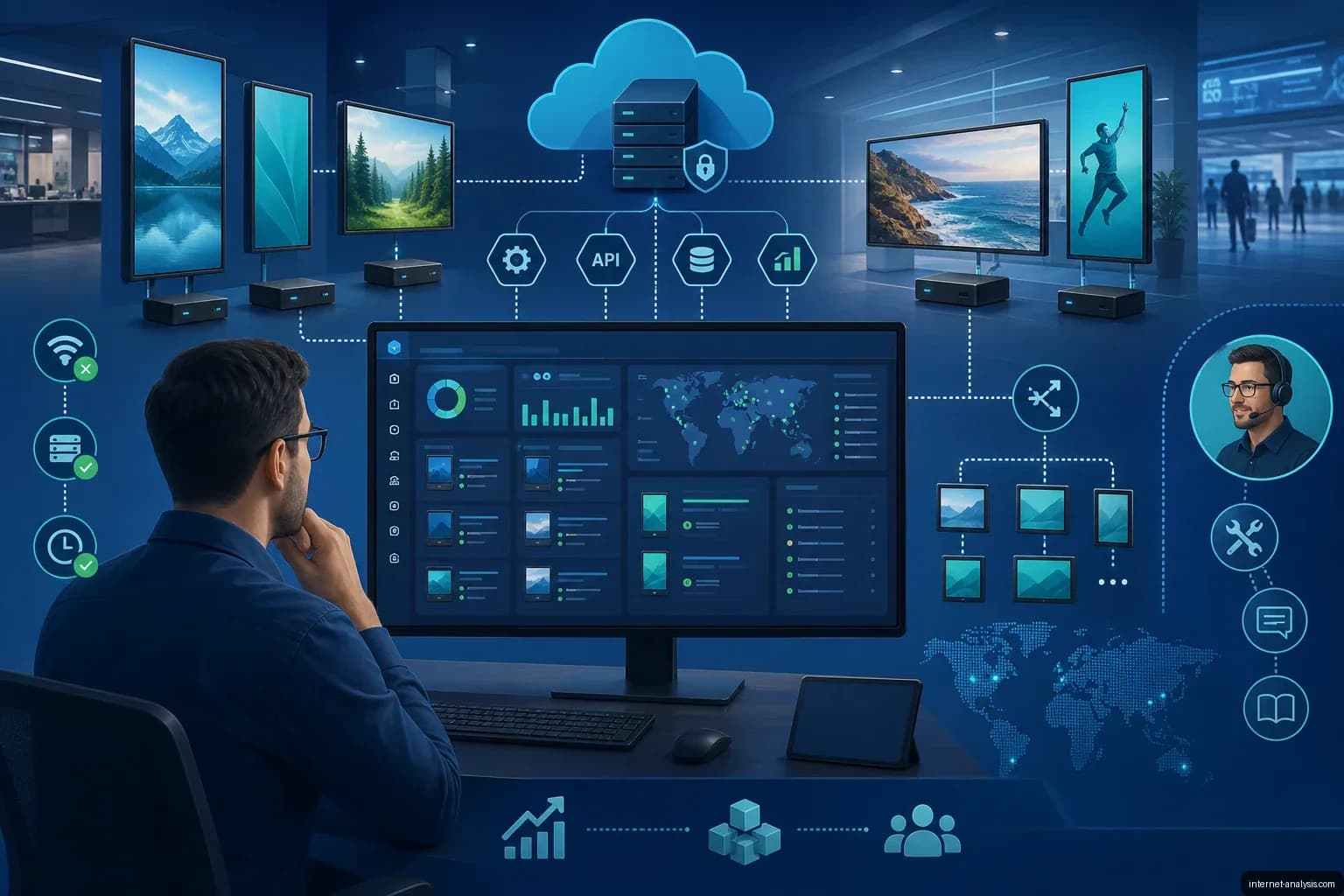
For a systems integrator, selecting digital signage software is more than a technology purchase. The platform influences deployment speed, screen reliability, support workload, customer retention and the ability to generate recurring revenue.
The differences between vendors are not always obvious during a sales demonstration. Most platforms can upload media, build playlists and schedule content. The more consequential distinctions tend to appear after deployment, when the software must support mixed hardware, unreliable connectivity, complex integrations and a growing fleet of screens.
A poor choice can lead to rework, compressed margins and dissatisfied clients. A strong platform becomes a reusable operational foundation that makes each new project easier to deliver. Evaluating vendors across the following five areas can reveal which companies are prepared for a long-term partnership.
1. Begin with requirements and hardware compatibility
Compatibility should be established before comparing advanced features or subscription prices. Integrators frequently inherit existing displays, follow client-mandated hardware standards and manage networks containing equipment from multiple manufacturers. A platform that requires one proprietary ecosystem may be easy to demonstrate but difficult to deploy across real customer environments.
Operating systems, players and displays
Ask each vendor for a current compatibility matrix rather than accepting a general claim of broad support. The assessment should cover:
- Operating systems and chipsets: Determine whether the software supports Android, Linux, Samsung Tizen, LG webOS and Windows, or only a limited subset.
- Media player options: Establish whether third-party players are permitted or proprietary hardware is mandatory. A single required player limits procurement flexibility and can create a supply-chain dependency.
- Resolution and orientation: Verify support for portrait, landscape, multiple resolutions and custom aspect ratios without manual workarounds.
- Mixed environments: Test whether different display brands and player types can be managed together through the same administrative structure.
- Firmware changes: Ask how the vendor tests manufacturer updates that may alter codec support, browser behavior or communication protocols.
A mature supplier should maintain a tested device list and publish clear advisories about known compatibility issues. A short, outdated or ambiguous list is a warning that the integrator may be expected to solve hardware problems after deployment.
Choose the appropriate delivery model
Digital signage content management systems generally fall into three models: off-the-shelf software as a service, custom development and white-label software. Each has operational and commercial trade-offs.
| Model | Advantages | Primary considerations |
|---|---|---|
| Off-the-shelf SaaS | Fast deployment, predictable subscriptions and vendor-managed updates | Best suited to repeatable projects; branding, workflows and specialized features may be constrained |
| Custom CMS | Control over branding, approval processes, data feeds, analytics and specialized functions | Requires sufficient technical resources for maintenance, security, infrastructure and ongoing development |
| White-label platform | Can be presented under the integrator’s brand while the vendor maintains the core technology | Contract terms must protect branding, customer ownership and continuity of service |
The best model is the one the organization can sustain. A custom system may satisfy unusual requirements, but it can cost more over time than SaaS if the integrator lacks the people and processes needed to maintain it. White-label software can provide a middle ground, provided the partnership terms are clear.
2. Evaluate technical depth, not feature volume
Basic scheduling, media uploads and remote screen management should be treated as minimum requirements. A more useful evaluation focuses on capabilities that reduce manual work, support higher-value services and accommodate future client demands.
Capabilities that matter in production
- Dynamic content triggers: The system should be able to change content in response to external data such as weather, inventory, point-of-sale transactions or audience analytics.
- Advanced scheduling: Look for dayparting, geographic or location-based rules, priority overrides and emergency messaging rather than simple playlist calendars alone.
- Proof of play: The platform should produce detailed, exportable playback records for advertisers and internal stakeholders. Confirmation that a file reached a device is not the same as evidence that it played.
- Multi-tenant administration: Integrators serving multiple customers need isolated client environments, role-based permissions, individual branding and client-specific reports.
- Offline operation: Players should cache content locally, continue running during network outages and synchronize automatically when connectivity returns.
- Remote diagnostics: Administrators should be able to identify failed downloads, playback errors, storage problems and offline devices without visiting the site.
Future capacity matters as much as the current feature set. Review the vendor’s release history, product roadmap and frequency of meaningful updates. Features that can be activated later are generally more valuable than requirements that will force a platform migration.
Determine who owns the CMS and player layers
A digital signage system normally has two central software components:
- Content management system: The centralized environment used to organize media, create playlists, define schedules, manage permissions and review reports.
- Player software: The endpoint application that receives instructions and content from the CMS and renders them on the display.
Some vendors develop both layers, while others provide only one and depend on a third party for the other. When one company owns the complete playback path, integration is usually tighter and troubleshooting has a clear point of accountability. If a file does not render correctly, separate CMS and player suppliers cannot redirect responsibility to one another.
A specialized provider may offer greater depth in its part of the stack, but the integration boundary becomes the integrator’s responsibility. A player firmware update could break CMS compatibility, or a CMS release could change content packaging in a way the player does not support. Integrators considering a split stack should account for the testing and coordination this model requires.
3. Inspect integrations and API design
Digital signage rarely operates as a self-contained system. Its value increasingly depends on connections to advertising exchanges, business databases, workplace tools, sensors, analytics platforms and marketing systems. The relevant integrations depend on the industries being served, so a long connector list is less important than demonstrated support for the client’s actual workflows.
Match integrations to customer needs
- Programmatic advertising: Digital out-of-home networks may require native supply-side and demand-side platform connectivity. Systems such as Broadsign, Vistar Media and Hivestack are examples in this market. Without reliable integration, selling and fulfilling advertising inventory can become a manual process.
- Social and user-generated content: Retail and hospitality deployments may need live social feeds, review aggregation, hashtag walls and moderation controls.
- Enterprise data: Connections to ERP systems, inventory databases, HR platforms and IoT networks allow displays to respond to operational information.
- Calendars and workplace platforms: Microsoft 365 or Google Workspace data can drive room signs, event displays and internal communications.
- Operational dashboards: Manufacturing data can be used for production status, safety messages and performance dashboards.
- Analytics and audience measurement: Computer vision systems, Wi-Fi probe data and mobile-device detection platforms can support engagement measurement rather than relying only on estimated impressions.
- CRM and marketing automation: Connections to systems such as Salesforce or HubSpot can help personalize content using customer-segment data.
Request examples of integrations that are running in production. A connector that has never been deployed for a real customer should be treated as a proposed roadmap capability, not a proven feature.
Look for an API-first architecture
A platform designed around APIs gives integrators the ability to build workflows and connect systems that the vendor does not support natively. Ideally, the functions exposed in the user interface should also be available through a documented, versioned REST or GraphQL API.
For large fleets, API access is essential to automating repetitive work. It can support bulk provisioning, content updates, reporting, account creation and incident management without requiring staff to perform every action manually in the CMS.
Review the following before signing a contract:
- Documentation: It should include authentication guidance, endpoint details, error behavior and working code examples.
- Versioning: A defined deprecation policy should give integrators time to update custom software before an older API is withdrawn.
- Webhooks: Event notifications can trigger workflows when a player disconnects, playback fails or content synchronization is incomplete.
- Authentication: Methods should be appropriate for secure machine-to-machine access and should support controlled permissions.
- Rate limits: Usage limits must accommodate the intended fleet size and automation frequency.
- Test facilities: A sandbox or nonproduction environment allows integrations to be validated without risking live screens.
API documentation should be available during technical evaluation. If the vendor will not provide it before the sale, integrators should not assume access will improve afterward.
4. Examine the partnership model and vendor reliability
Technical capability earns a vendor a place on the shortlist, but the commercial relationship determines whether that technology can support the integrator’s business. The software provider becomes an ongoing operational dependency, not a one-time supplier.
Protect the customer relationship
Integrators should ask directly whether the software company sells to end customers in the same market. If it does, the contract and partner policy should explain how opportunities are registered and how channel conflict is handled.
- Channel policy: Define when the vendor may sell directly and how existing integrator opportunities are protected.
- White-label and co-branding rights: Confirm whether the platform can be presented under the integrator’s identity and who controls renewal communications.
- Lead distribution: Determine whether incoming opportunities are passed to partners or retained by the vendor’s direct sales team.
- Customer ownership: Contracts should make clear who owns the commercial relationship, account data and associated opportunities.
- Partner support: Dedicated technical contacts, test environments and co-development assistance demonstrate a greater commitment than documentation alone.
A healthy partnership makes the integrator more competitive without creating unnecessary dependence. Lock-in should not be mistaken for partner enablement.
Positive signs and warning signals
| Positive indicators | Warning signs |
|---|---|
| Transparent pricing, including device, bandwidth and feature costs | Pricing that is vague or changes between the proposal and contract |
| Named technical account contacts | No access to technical staff during evaluation |
| Published service-level commitments covering uptime, response and escalation | Support promises without measurable obligations |
| Regular releases supported by changelogs or product updates | Breaking changes without notice or migration assistance |
| Long-term reference customers willing to discuss their deployments | Many new case studies but little evidence of durable production use |
| Clear pilot and test procedures | Pressure to sign a long contract before testing real hardware |
| Reasonable confidentiality terms | Unusually restrictive agreements that prevent normal discussion of the partnership |
Operational consistency is a stronger signal than a polished demonstration. Before making a long-term commitment, run a pilot with the hardware, networks, content formats and workflows expected in production.
5. Test scalability, support and long-term viability
A platform that performs well with 50 screens may not remain usable at 5,000. Scalability includes more than server capacity: content delivery, interface performance, device organization, monitoring workflows and licensing economics must all work at the target fleet size.
Assess the complete scaling model
- Content distribution: A content delivery network combined with incremental updates is generally more efficient than repeatedly sending complete content packages to every device.
- Administrative performance: The CMS should remain responsive with thousands of screens, hundreds of playlists and many user accounts.
- Hierarchical organization: Devices should be grouped by customer, location, zone and screen type, with bulk actions available across those levels.
- Fleet monitoring: Large deployments require aggregated health views, automated alerts and mechanisms for identifying anomalies. Reviewing devices individually does not scale.
- Provisioning: Adding and configuring large numbers of players should be automatable rather than dependent on repeated manual setup.
- Licensing economics: Determine whether per-screen pricing declines at higher volumes and whether bandwidth, storage, support or premium features introduce additional costs.
Ask about the vendor’s largest active deployment and request a reference from a customer operating at a comparable scale. If the provider’s largest fleet is far smaller than the proposed project, the integrator may be funding the vendor’s first attempt to solve new scaling problems.
Measure support by resolution, not acknowledgment
Support commitments should specify what each license tier includes, when priority service applies and whether dedicated account managers or on-call engineers cost extra. Ticket response time is not the same as problem resolution. A critical issue acknowledged in four hours but left unresolved for six weeks still represents inadequate service.
Review the supplier’s processes for:
- Classifying issue severity and escalating critical incidents
- Communicating service disruptions and estimated restoration times
- Delivering emergency player or CMS fixes
- Submitting, prioritizing and tracking feature requests
- Giving high-volume partners appropriate influence over the roadmap
- Handling major platform upgrades and data migrations
- Minimizing downtime and avoiding device reconfiguration during migrations
Consider the company’s development and financial trajectory
The platform must continue evolving as operating systems, browsers, display firmware and client expectations change. Examine the vendor’s history of major releases, migration support and security maintenance. Regular development is important, but stability and backward compatibility matter as well.
Long-term financial health also deserves attention. Aggressive pricing is not beneficial if the provider cannot sustain infrastructure, engineering and support. Evaluate available evidence of funding, profitability indicators and customer diversification without relying solely on sales claims. Dependence on a small number of customers or continuous cash consumption may create continuity risk.
A practical vendor evaluation checklist
A structured selection process helps prevent attractive but nonessential features from outweighing operational requirements.
- Document existing hardware, operating systems, network restrictions and required content formats.
- Choose between SaaS, custom and white-label models based on maintainability as well as branding.
- Verify CMS and player compatibility on real endpoint devices.
- Test offline playback, recovery, synchronization and proof-of-play reporting.
- Model multi-client permissions, reporting and device organization.
- Validate the integrations required by current customers and inspect the API documentation.
- Review channel policy, customer ownership, pricing and service-level terms.
- Test administrative and distribution performance at a realistic projected scale.
- Speak with reference customers whose deployments resemble the proposed environment.
- Complete a production-like pilot before entering a long-term agreement.
Frequently asked questions
What does a digital signage software company provide?
A digital signage software company develops systems used to operate networks of screens. Its products commonly include a CMS for organizing and scheduling media and player software that renders content at each endpoint. Vendors may also supply cloud infrastructure, APIs, analytics, device monitoring, multi-tenant administration and proof-of-play reports.
Can digital signage software work with existing hardware?
Often, but support differs significantly by vendor. Compatibility should be verified against the exact display models, players, operating systems, resolutions and orientations already deployed. Integrators should also ask how firmware updates are tested and how quickly compatibility problems are addressed.
How can an integrator verify scalability?
Sales presentations are not sufficient. Test the platform with production-like data and workflows, investigate its content distribution design and speak with a customer running a similarly sized fleet. Management performance, device hierarchy, monitoring, automation and pricing should all be assessed at the expected future scale.
Which integrations are most important?
The answer depends on the client base. Common requirements include programmatic advertising, calendars, inventory and ERP data, IoT sensors, analytics, audience measurement, social feeds and CRM platforms. Beyond native connectors, a documented and versioned API is essential for building custom integrations.
Make the decision for long-term operations
Choosing digital signage software based only on today’s feature checklist overlooks the factors most likely to affect profitability. Hardware independence, reliable playback, API access, partner protections, scalable administration and effective support all shape the real cost of operating the platform.
The strongest vendor is not necessarily the one with the longest feature list. It is the company whose technology, commercial model and development practices allow the integrator to serve more clients without a corresponding increase in manual work or risk.

Krzysztof
Broadband infrastructure editor at Internet AnalysisKrzysztof writes about broadband technologies, infrastructure and provider availability. He explains how network components fit together and what coverage information can actually tell readers.
View author profile →How this article was prepared
He cross-checks providers, technologies, locations and reporting periods, and separates advertised availability from measured performance. His explanations use consistent terms, compatibility comparisons and diagrams where they help.
Read our methodology →Reviewed by the Internet Analysis Editorial Team
Reviewed by the Internet Analysis Editorial Team · Updated August 16, 2026
Meet the editorial team →Article context, review and related questions
A practical guide to evaluating digital signage vendors for hardware compatibility, technical depth, integrations, partner protections, scalability and long-term support.
| Measure | Value | Context |
|---|---|---|
| Article type | Enterprise Technology | Editorial classification |
| Reading time | 12 minutes | Estimated at approximately 220 words per minute |
| Editorial review | Internet Analysis Editorial Team | Updated August 16, 2026 |
| Review date | August 16, 2026 | Latest stored article update |
Methodology
He cross-checks providers, technologies, locations and reporting periods, and separates advertised availability from measured performance. His explanations use consistent terms, compatibility comparisons and diagrams where they help.
Full methodology →Data freshness
- Page updated
- Data period
- August 16, 2026
- Responsible editor
- KrzysztofBroadband infrastructure editor
Primary sources
- Internet Analysis editorial methodologyReview and limitation rules
Limitations
- The article is informational and may simplify technical details for readability.
- Products, standards, prices and service availability can change after the review date.
- The latest review date does not guarantee that every external product or service remains unchanged.
Related questions
What is the main point of “How to Choose the Right Digital Signage Software Company”?
A practical guide to evaluating digital signage vendors for hardware compatibility, technical depth, integrations, partner protections, scalability and long-term support.
How was this article prepared?
He cross-checks providers, technologies, locations and reporting periods, and separates advertised availability from measured performance. His explanations use consistent terms, compatibility comparisons and diagrams where they help.
When was this information last reviewed?
The latest stored review or update date is August 16, 2026.