Different Types of Modems and How They Connect
Explore dial-up, DSL, cable, fiber, cellular and satellite modems, along with the differences between modems, routers and combined gateways.
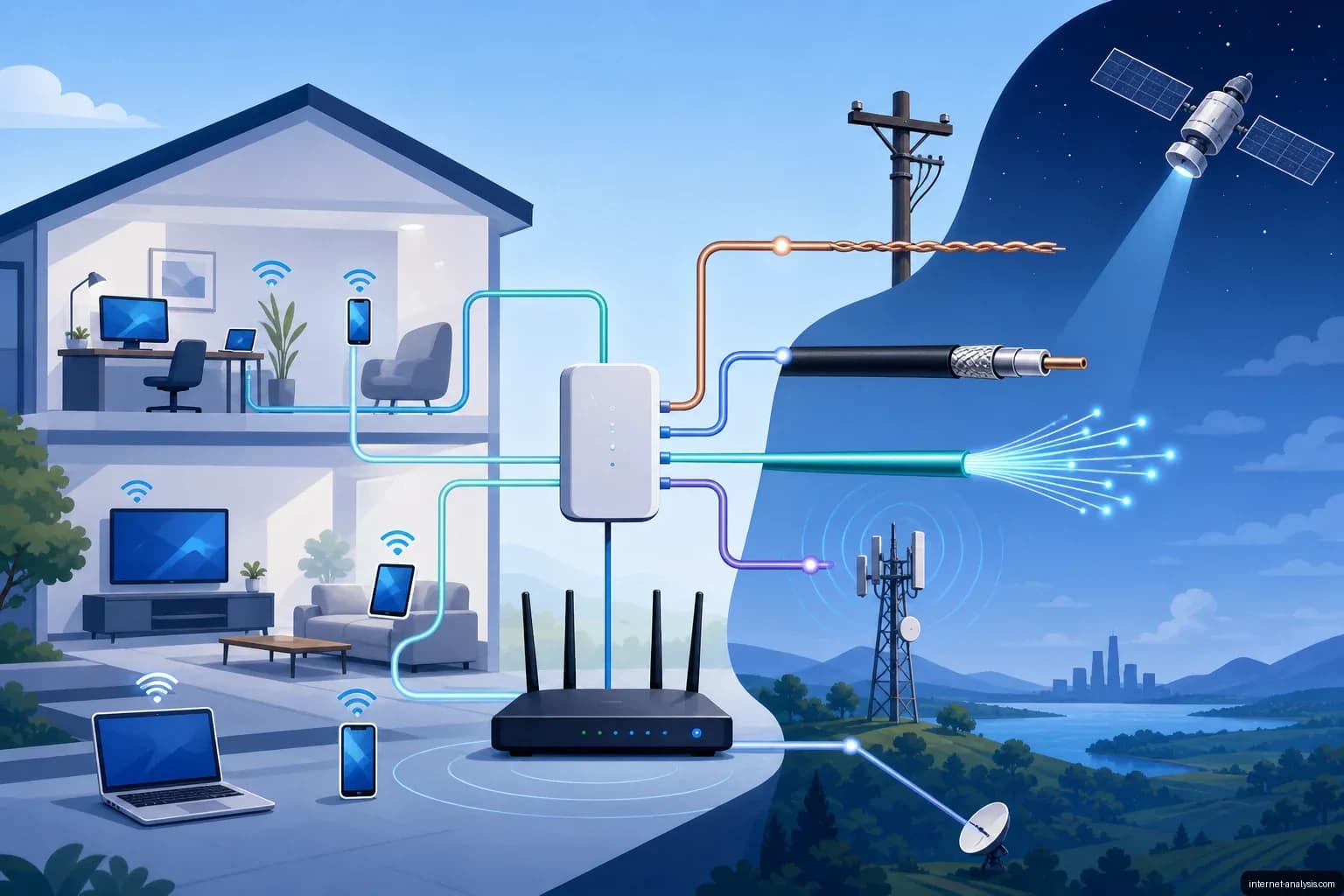
Modems provide the link between a local device or network and a communications service. The word modem comes from modulator-demodulator: traditionally, the device converts digital data into signals suitable for transmission and converts incoming signals back into digital data.
Modem technology has changed alongside telecommunications infrastructure. Early consumer models were slow, could become unreliable under sustained use and often depended on the same analog line used for voice calls. Modern devices support faster, more stable connections across cable, telephone, fiber and cellular networks.
Dial-up modems
Dial-up modems connect through an analog telephone line by placing a call to an internet service provider. Consumer dial-up connections generally topped out at 56 kilobits per second under ideal conditions, making large downloads and media-rich websites impractical.
Because dial-up internet and voice calls typically shared one line, an incoming or outgoing call could interrupt the connection unless the household had another line or compatible call-handling services. These limitations encouraged the development and adoption of always-on broadband technologies.
DSL modems
A digital subscriber line modem also uses telephone wiring, but it carries data on frequencies separate from ordinary voice service. With suitable filters and provider support, users can make calls and access the internet at the same time.
DSL performance depends heavily on the type of service, the quality of the wiring and the distance between the customer and the provider’s equipment. Common variants include ADSL, which favors download capacity, and VDSL, which can deliver higher speeds over shorter lines.
Cable modems
Cable modems connect through the coaxial network used for cable television. They provide an always-on broadband connection and generally offer substantially higher speeds than dial-up service.
Bandwidth is delivered through the cable provider’s local infrastructure, so real-world performance can vary with network capacity, equipment standards and congestion in the service area.
Fiber equipment
Fiber-optic service transmits information as light rather than as electrical or radio signals. A fiber connection commonly terminates at an optical network terminal, or ONT. Although people may casually call this device a fiber modem, its technical role differs from that of a traditional analog modem.
Fiber networks can provide high speeds, low latency and strong upload performance. Available service still depends on the provider’s network design and the customer’s subscription tier.
Cellular modems
Cellular modems connect through a mobile carrier’s network. They can be built into smartphones, tablets, laptops, hotspots and routers, or supplied as separate USB and internal modules.
Connection quality depends on factors including network generation, signal strength, tower capacity, radio spectrum and the user’s service plan. Cellular modems are useful where wired broadband is unavailable and can also provide backup connectivity for a fixed network.
Satellite modems
A satellite modem exchanges data through a satellite system rather than a terrestrial cable or nearby cellular tower. This makes satellite service useful in remote locations, although performance can be affected by equipment placement, network architecture, weather and service congestion.
Modems, routers and gateways
A modem and a router perform different jobs. The modem connects the premises to the service provider, while the router creates and manages the local network. Early home routers commonly distributed one connection to several computers through Ethernet cables.
Wi-Fi routers added wireless access, allowing phones, computers and other devices to join the local network without a cable. Many providers now supply a single gateway that combines several functions:
- Modem or service terminal: Communicates with the provider’s network.
- Router: Directs traffic between the internet and local devices.
- Ethernet switch: Provides wired connections for multiple devices.
- Wireless access point: Creates the Wi-Fi network.
- Firewall: Applies basic rules to traffic entering or leaving the network.
A combined gateway is convenient, but separate equipment can offer greater flexibility when upgrading Wi-Fi, changing network settings or replacing a failed component.
How to identify the right modem
The required equipment is determined primarily by the connection technology and the service provider. A cable modem cannot substitute for a DSL modem, and neither can directly terminate a fiber-optic line. Before buying equipment, users should confirm provider compatibility, supported technical standards and the maximum speed the device can handle.
Other considerations include whether Wi-Fi and routing are built in, the number and speed of Ethernet ports, cellular band support where applicable, and whether the provider permits customer-owned hardware. The best choice is not simply the modem with the highest advertised capacity, but one that matches the network, subscription and intended use.

Tomasz
Founder and network data analyst at Internet AnalysisTomasz leads data-focused analysis at Internet Analysis, covering connection performance, broadband infrastructure and ISP services. He connects measurable network indicators with explanations that help readers make informed decisions.
View author profile →How this article was prepared
He checks metric definitions, compares equivalent samples and examines geographic and time coverage before drawing conclusions. His analytical writing follows causal relationships, compares possible explanations and states where the evidence ends.
Read our methodology →Reviewed by the Internet Analysis Editorial Team
Reviewed by the Internet Analysis Editorial Team · Updated August 17, 2026
Meet the editorial team →Article context, review and related questions
Explore dial-up, DSL, cable, fiber, cellular and satellite modems, along with the differences between modems, routers and combined gateways.
| Measure | Value | Context |
|---|---|---|
| Article type | Networking | Editorial classification |
| Reading time | 4 minutes | Estimated at approximately 220 words per minute |
| Editorial review | Internet Analysis Editorial Team | Updated August 17, 2026 |
| Review date | August 17, 2026 | Latest stored article update |
Methodology
He checks metric definitions, compares equivalent samples and examines geographic and time coverage before drawing conclusions. His analytical writing follows causal relationships, compares possible explanations and states where the evidence ends.
Full methodology →Data freshness
- Page updated
- Data period
- August 17, 2026
- Responsible editor
- TomaszFounder and network data analyst
Primary sources
- Internet Analysis editorial methodologyReview and limitation rules
Limitations
- The article is informational and may simplify technical details for readability.
- Products, standards, prices and service availability can change after the review date.
- The latest review date does not guarantee that every external product or service remains unchanged.
Related questions
What is the main point of “Different Types of Modems and How They Connect”?
Explore dial-up, DSL, cable, fiber, cellular and satellite modems, along with the differences between modems, routers and combined gateways.
How was this article prepared?
He checks metric definitions, compares equivalent samples and examines geographic and time coverage before drawing conclusions. His analytical writing follows causal relationships, compares possible explanations and states where the evidence ends.
When was this information last reviewed?
The latest stored review or update date is August 17, 2026.