Essential Computer Accessories for Work, Communication and Gaming
From printers and webcams to gaming controls, card readers and battery backup, the right accessories can expand a computer’s capabilities.
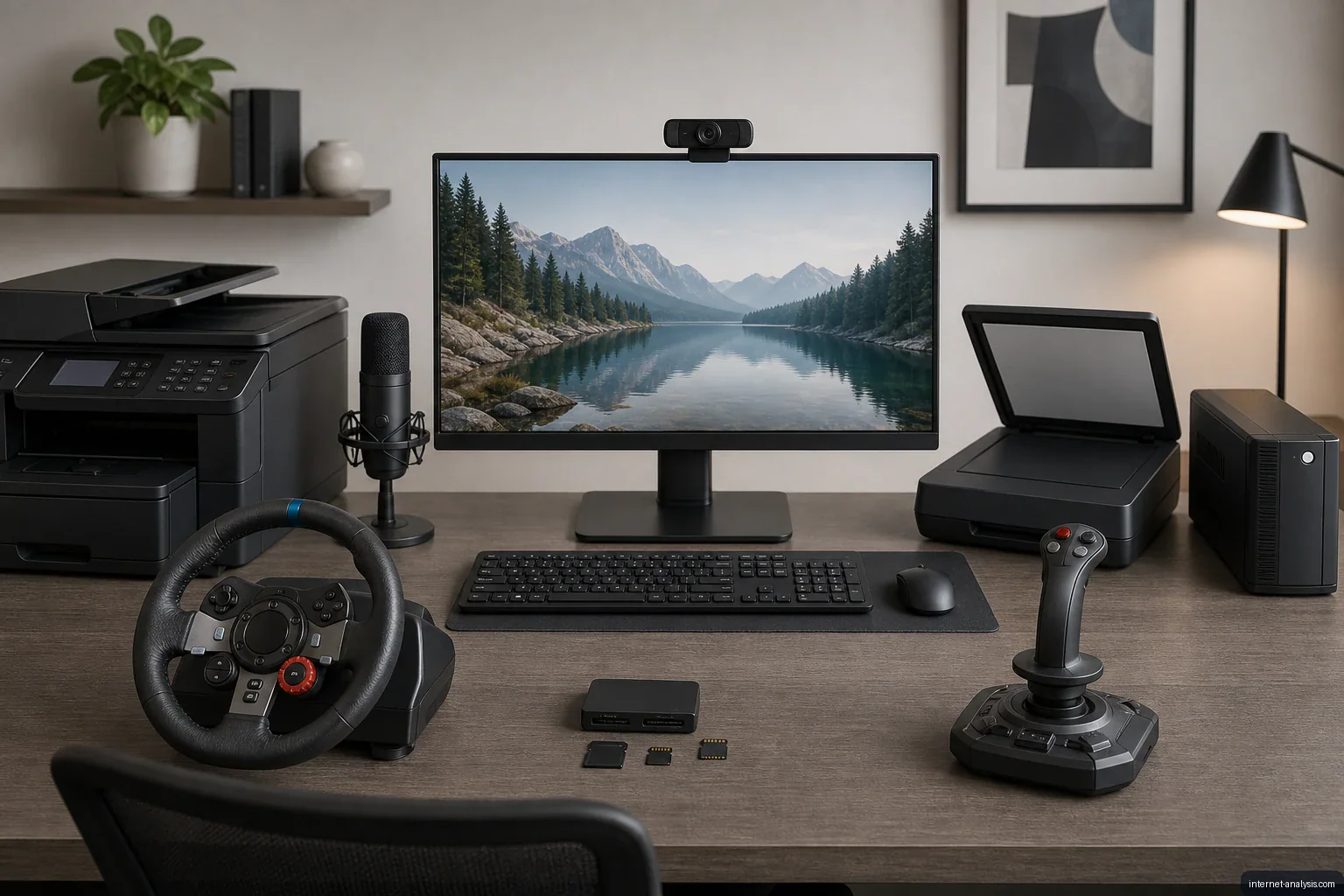
A standard desktop computer requires only a few core components: a system unit, monitor, keyboard and mouse. Its capabilities can be expanded substantially, however, by choosing peripherals suited to specific tasks such as printing, video calls, gaming, data transfer and power protection.
Printing and document handling
A printer adds support for producing physical copies of documents and photos, while a scanner converts paper materials into digital files. A multifunction device combines printing and scanning in one unit, making it a practical choice when desk space or the number of available connections is limited.
The right option depends on how the computer will be used. Someone who only prints occasionally may need a simple printer, while regular document archiving can make an integrated scanner more valuable.
Accessories for online communication
Video meetings, remote learning and online conversations often require a webcam and microphone. Although some monitors include built-in cameras or microphones, dedicated devices can provide more flexible positioning and potentially better image or audio quality.
A clear microphone is especially important when voice communication is central to the activity. Webcam selection should also account for mounting options, compatibility and the lighting conditions in the room.
More interactive gaming controls
A keyboard and mouse work well for many computer games, but specialized controllers can make certain genres more engaging. A steering wheel is designed for racing games, while a joystick can offer more natural control in flight simulators and other compatible titles.
Before purchasing a gaming controller, users should confirm that the operating system and intended games support it. Available desk space and connection type are also practical considerations.
Moving files between devices
A memory card reader allows a computer to access removable cards used by cameras, recorders and other portable electronics. It can simplify transferring photos, videos and documents without connecting the original device directly to the computer.
Memory cards provide compact, reusable storage and are generally more convenient for compatible portable devices than optical media such as CDs and DVDs. Readers may support one card format or several, so compatibility should be checked before purchase.
Protection from power interruptions
An uninterruptible power supply, commonly called a UPS, provides temporary battery power when electricity is lost. It can keep a computer operating long enough to save work and shut down safely, helping reduce the risk of data loss caused by a sudden outage.
Actual runtime varies according to the UPS battery capacity and the total power consumption of the connected equipment. A suitable unit should be selected using the combined load of the computer, monitor and any other devices that require backup power.
Choosing accessories thoughtfully
Computer accessories are most useful when they address a clear need. Before buying a device, consider its operating-system compatibility, connector requirements, power needs and available workspace. Starting with the tasks the computer must perform helps avoid unnecessary gadgets while creating a setup that is better suited to work, communication, entertainment and file management.

Piotr
Network Performance Analyst at Internet AnalysisPiotr analyzes how download speed, upload speed, latency, jitter, and packet loss affect real-world connectivity. He translates test results into careful, reproducible explanations.
View author profile →How this article was prepared
Uses consistent metric definitions, excludes invalid samples where identifiable, compares medians rather than isolated extremes, and describes device, access-network, and geographic limitations.
Read our methodology →Reviewed by the Internet Analysis Editorial Team
Reviewed by the Internet Analysis Editorial Team · Updated August 28, 2026
Meet the editorial team →Article context, review and related questions
From printers and webcams to gaming controls, card readers and battery backup, the right accessories can expand a computer’s capabilities.
| Measure | Value | Context |
|---|---|---|
| Article type | Computers | Editorial classification |
| Reading time | 3 minutes | Estimated at approximately 220 words per minute |
| Editorial review | Internet Analysis Editorial Team | Updated August 28, 2026 |
| Review date | August 28, 2026 | Latest stored article update |
Methodology
Uses consistent metric definitions, excludes invalid samples where identifiable, compares medians rather than isolated extremes, and describes device, access-network, and geographic limitations.
Full methodology →Data freshness
- Page updated
- Data period
- August 28, 2026
- Responsible editor
- PiotrNetwork Performance Analyst
Primary sources
- Internet Analysis editorial methodologyReview and limitation rules
Limitations
- The article is informational and may simplify technical details for readability.
- Products, standards, prices and service availability can change after the review date.
- The latest review date does not guarantee that every external product or service remains unchanged.
Related questions
What is the main point of “Essential Computer Accessories for Work, Communication and Gaming”?
From printers and webcams to gaming controls, card readers and battery backup, the right accessories can expand a computer’s capabilities.
How was this article prepared?
Uses consistent metric definitions, excludes invalid samples where identifiable, compares medians rather than isolated extremes, and describes device, access-network, and geographic limitations.
When was this information last reviewed?
The latest stored review or update date is August 28, 2026.