How to Switch Internet Providers Without Losing Service
Learn how to switch internet providers smoothly without losing service. Follow our step-by-step guide for hassle-free internet transitions.
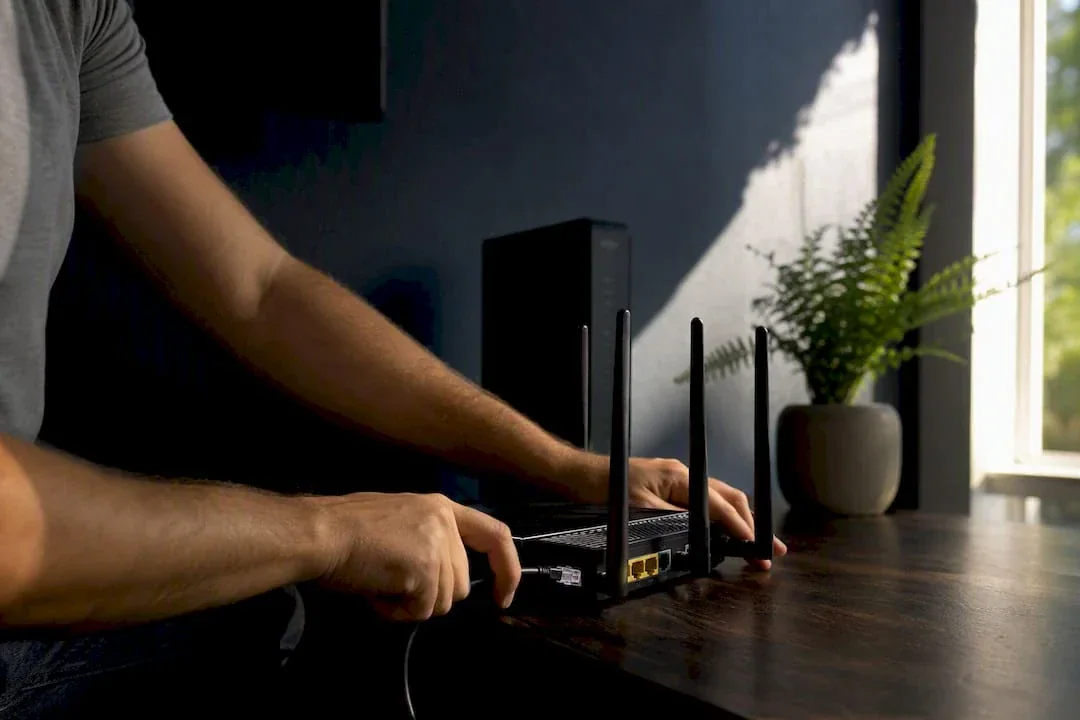
The safest way to switch internet providers is to order and test the new connection before canceling the old one. That single decision, sequencing the switch instead of cutting service first, is what separates a smooth transition from days of dead Wi-Fi.
Do this now, in order:
- Confirm the new provider is available at your address.
- Order the new plan and schedule installation or self-install shipping.
- Run a wired speed test on the new line before you cancel anything.
- Cancel the old service only after the new one passes testing.
- Return leased equipment inside the provider's return window.
Before you commit, check your current contract for early termination fees and confirm how many days you have to return old equipment. Both mistakes cost real money.
Key Takeaways
Switching internet providers safely means ordering and testing the new connection first, then canceling the old one only after acceptance testing confirms it works.
| Point | Details |
|---|---|
| Order before you cancel | Set up and test new service before touching your old provider's cancellation line. |
| Check the retention desk first | Ask your current provider to match a competitor's offer before you commit to switching. |
| Do the ETF math | Divide your early termination fee by monthly savings to find your break-even point in months. |
| Overlap service for a day or two | A short overlap window prevents downtime and gives you time to run acceptance tests. |
| Verify with real diagnostics | Use Internet-analysis to run wired and wireless speed, latency, and packet loss tests before and after the switch. |
Table of Contents
- Why Switch Internet Providers in the First Place?
- What Should You Check Before Choosing a New Plan?
- How Do You Prepare Your Home for the Switch?
- What's the Exact Sequence to Switch Without Downtime?
- What Mistakes Cause the Most Switching Headaches?
- How Do You Confirm the New Service Actually Works?
- What Order Would I Follow If I Were Switching Today?
- Verify Your New Connection Before You Trust It
- Sources
Why Switch Internet Providers in the First Place?
Most switches trace back to one of five triggers: the bill crept up after a promotional rate expired, speeds can't handle a growing household, outages keep hitting during work hours, a data cap is throttling streaming, or customer service has become unbearable. If your speed test results tank every evening between 7 and 10 p.m., that's network congestion, not your equipment. If your bill jumped $30 or more without a plan change, that's a promo rate expiring.

Rising costs and stagnant speeds are the two most common reasons people start comparing providers. But before you sign anything new, it's worth checking what your current provider will offer to keep you. Retention departments frequently match or beat a competitor's price rather than lose a customer, so a five-minute call can save you the hassle of switching entirely.
Pro Tip: Ask specifically for the "retention" or "loyalty" department, not general customer service. Front-line reps often can't offer the same discounts.
What Should You Check Before Choosing a New Plan?
Picking a new provider on price alone is how people end up disappointed. Seven factors actually determine whether a plan works for your house: price and promo length, real-world speeds versus advertised speeds, contract terms and ETF policy, data caps, address-level availability, installation type, and equipment fees.
Start with speed. A single remote worker on video calls needs roughly 25 to 100 Mbps. A household with four people streaming, gaming, and working from home simultaneously needs 300 Mbps or more to avoid competing for bandwidth. Check our speed guidance for large families or working from home setups if you're unsure where your household lands. Advertised speeds are ceilings, not guarantees. Real-world wired performance during peak hours typically runs lower than the number on the box.
| Factor | What to check |
|---|---|
| Price and promos | Monthly rate after the promotional period ends, not just the first-year price |
| Speeds | Advertised download/upload versus realistic peak-hour performance |
| Contract terms | Length, ETF amount, and whether a buyout applies |
| Data caps | Monthly limit and throttling policy after you exceed it |
| Availability | Confirmed at your exact address, not just your ZIP code |
| Installation | Self-install shipping time versus technician scheduling |
| Equipment | Monthly rental fee versus one-time purchase cost |
Use our ZIP code price lookup to see what plans actually cost in your area, and confirm exact availability through providers near you before assuming a plan is even an option.
If you're still under contract, do the math before you sign anything. Divide your ETF by your expected monthly savings. If the ETF is $200 and you're saving $30 a month, that's roughly seven months to break even. Some providers, including T-Mobile Home Internet, offer contract buyouts of up to $750 to cover exactly this kind of exit cost, which can make switching worthwhile even mid-contract.
Pro Tip: Call your current provider's retention desk with a competitor's quote in hand. Many will match it on the spot rather than process a cancellation.
How Do You Prepare Your Home for the Switch?
Preparation is where most of the actual time savings happen. A little admin work up front prevents lost passwords, double bills, and wasted technician visits.
Account housekeeping:
- Locate your current account number and the retention department's direct line.
- Note your contract end date and exact ETF amount, if any.
- Check where you are in your billing cycle to avoid paying for a full unused month.
Technical prep:
- List which equipment you own versus rent. Owned equipment stays; rented gear goes back.
- Write down your current Wi-Fi name and password so you can replicate them on the new router.
- Photograph serial numbers on any equipment you'll return.
- Check smart-home devices, security cameras, and work laptops that are hard-coded to your current network.
Logistics:
- Schedule installation for a weekday early in the week.
- Plan for a 24 to 48 hour overlap between old and new service.
- Confirm the return method and deadline for your old equipment before install day arrives.
Pro Tip: Book installation for Monday or Tuesday. Technician schedules fill up fast on Fridays, and a delayed weekend appointment can push your overlap window past a billing cycle boundary.
What's the Exact Sequence to Switch Without Downtime?
Follow this order and you'll rarely see more than a few minutes of actual disruption.
- Confirm availability and speeds. Verify the new provider serves your exact address and note the plan's advertised download/upload speeds.
- Decide install type. Choose self-install if you're comfortable with basic networking, or schedule a technician if you need professional setup.
- Calculate total monthly cost. Add equipment fees and any post-promo price increase to the base rate before comparing it to your current bill.
- Place the order. Choose the earliest convenient install date, but do not cancel your current service yet.
- Connect on install day. Set up the new router under a separate Wi-Fi name so you can test it independently from your existing network.
- Run acceptance tests. Check wired and wireless speeds during peak hours, along with latency and packet loss.
- Cancel the old service. Only after the new connection passes testing, contact your old provider to cancel.
- Return equipment and confirm. Return leased gear and get a written cancellation confirmation with a reference number.
A full transition typically takes about two weeks from order to live service, and overlapping both connections for a day or two keeps you online continuously while you test. Some markets have also adopted managed switching processes where the new provider coordinates cancellation with the old one, which cuts your administrative load significantly.
After the switch is live, update any accounts tied to your old network. That includes static IP configurations, port forwarding rules for home servers, and any device still trying to auto-connect to your previous SSID.
Pro Tip: Screenshot your activation confirmation, cancellation number, and equipment return receipt. If a billing dispute comes up later, time-stamped proof settles it fast.
What Mistakes Cause the Most Switching Headaches?
The switching process itself is straightforward. Most of the pain comes from skipping a step, not from the technology failing.
- Canceling the old service before the new one is confirmed working.
- Missing the equipment return deadline and getting hit with a non-return fee.
- Failing to get a written cancellation confirmation number.
- Not reading the final bill line-by-line for proration errors.
- Skipping acceptance testing and discovering speed problems after it's too late to dispute them.
The administrative process, not the technology, is the real barrier to switching. Most consumers who delay do so because the paperwork feels complicated, not because installing new service is actually hard.
If you have a bundled phone or TV package, check whether unbundling changes your pricing on either service. And if you're switching providers entirely, confirm whether you're keeping an ISP-provided email address. Many people lose years of email history because they never migrated it before canceling.
How Do You Confirm the New Service Actually Works?
Don't take a provider's word that your connection meets spec. Test it.
Run these checks in order:
- A wired speed test connected directly to the modem, during peak evening hours.
- A wireless speed test at the locations in your home where you actually use devices.
- A latency and packet loss test to catch connection instability that a speed number alone won't reveal.
Record three time-stamped results for both your old and new service, and save a screenshot of each. If your results fall well below that, check for throttling before assuming your hardware is at fault, and escalate to the provider with your time-stamped evidence in hand.
Pro Tip: Build a simple before-and-after scorecard with your test results. If you ever need to dispute a bill or an ETF, dated proof of underperformance is far more persuasive than a phone call describing "slow internet."
What Order Would I Follow If I Were Switching Today?
If I were switching tomorrow, I'd confirm address availability first, order the new plan immediately, and refuse to touch the cancellation button until the new line passed a wired speed test at peak hours. That sequence protects you twice: it prevents downtime, and it keeps your old provider's retention offer on the table as leverage until you're actually ready to leave.
The only real discipline required is documentation. Screenshot everything: the order confirmation, the speed test results, the cancellation number, the equipment return receipt. None of it takes more than a minute, and all of it becomes your evidence if a bill dispute shows up three months later.
Verify Your New Connection Before You Trust It
Switching providers only pays off if the new service actually delivers what was promised, and the only way to know that for certain is to measure it. Internet-analysis runs download and upload speed checks, latency, packet loss, and DNS performance tests, all from your browser, with no installation required.

That matters because "the internet feels fine" isn't evidence, but a time-stamped test result is. Internet-analysis gives you a few things a casual glance at your Wi-Fi bars can't: a quick test you can run the moment installation finishes, historical comparisons so you can track performance over weeks, anonymized benchmarks against other users on similar plans, and downloadable results you can use if you ever need to dispute a bill or an ETF.
Run a speed test right after your technician leaves or your self-install finishes. It's free, it takes under a minute, and it gives you the acceptance-test proof this whole switching process depends on.
Sources
- How to Switch Internet Providers: These ISPs Make it Easy | BroadbandNow
- Ditching Your Internet Provider? Here's How To Avoid the Headache - CNET
- How to switch your broadband provider - Uswitch
- Guide to Switching ISPs | Learn When to Switch Internet Providers - Allconnect
Recommended

Anna
Digital Safety & Consumer Research Editor at Internet AnalysisAnna edits practical guidance about safer internet use, privacy, online services, and consumer decisions. She prioritizes clear recommendations, scope, and transparent sourcing.
View author profile →How this article was prepared
Reviews claims against named primary or authoritative sources, removes unsupported certainty, distinguishes general education from professional advice, and records the article update date.
Read our methodology →Reviewed by the Internet Analysis Editorial Team
Reviewed by the Internet Analysis Editorial Team · Updated August 19, 2026
Meet the editorial team →Article context, review and related questions
Learn how to switch internet providers smoothly without losing service. Follow our step-by-step guide for hassle-free internet transitions.
| Measure | Value | Context |
|---|---|---|
| Article type | internet | Editorial classification |
| Reading time | 9 minutes | Estimated at approximately 220 words per minute |
| Editorial review | Internet Analysis Editorial Team | Updated August 19, 2026 |
| Review date | August 19, 2026 | Latest stored article update |
Methodology
Reviews claims against named primary or authoritative sources, removes unsupported certainty, distinguishes general education from professional advice, and records the article update date.
Full methodology →Data freshness
- Page updated
- Data period
- August 19, 2026
- Responsible editor
- AnnaDigital Safety & Consumer Research Editor
Primary sources
- Internet Analysis editorial methodologyReview and limitation rules
Limitations
- The article is informational and may simplify technical details for readability.
- Products, standards, prices and service availability can change after the review date.
- The latest review date does not guarantee that every external product or service remains unchanged.
Related questions
What is the main point of “How to Switch Internet Providers Without Losing Service”?
Learn how to switch internet providers smoothly without losing service. Follow our step-by-step guide for hassle-free internet transitions.
How was this article prepared?
Reviews claims against named primary or authoritative sources, removes unsupported certainty, distinguishes general education from professional advice, and records the article update date.
When was this information last reviewed?
The latest stored review or update date is August 19, 2026.