Computer Specifications: A Practical Guide to Choosing the Right Hardware
Learn how processors, memory, storage, graphics and connectivity shape computer performance—and how to compare configurations for your needs.
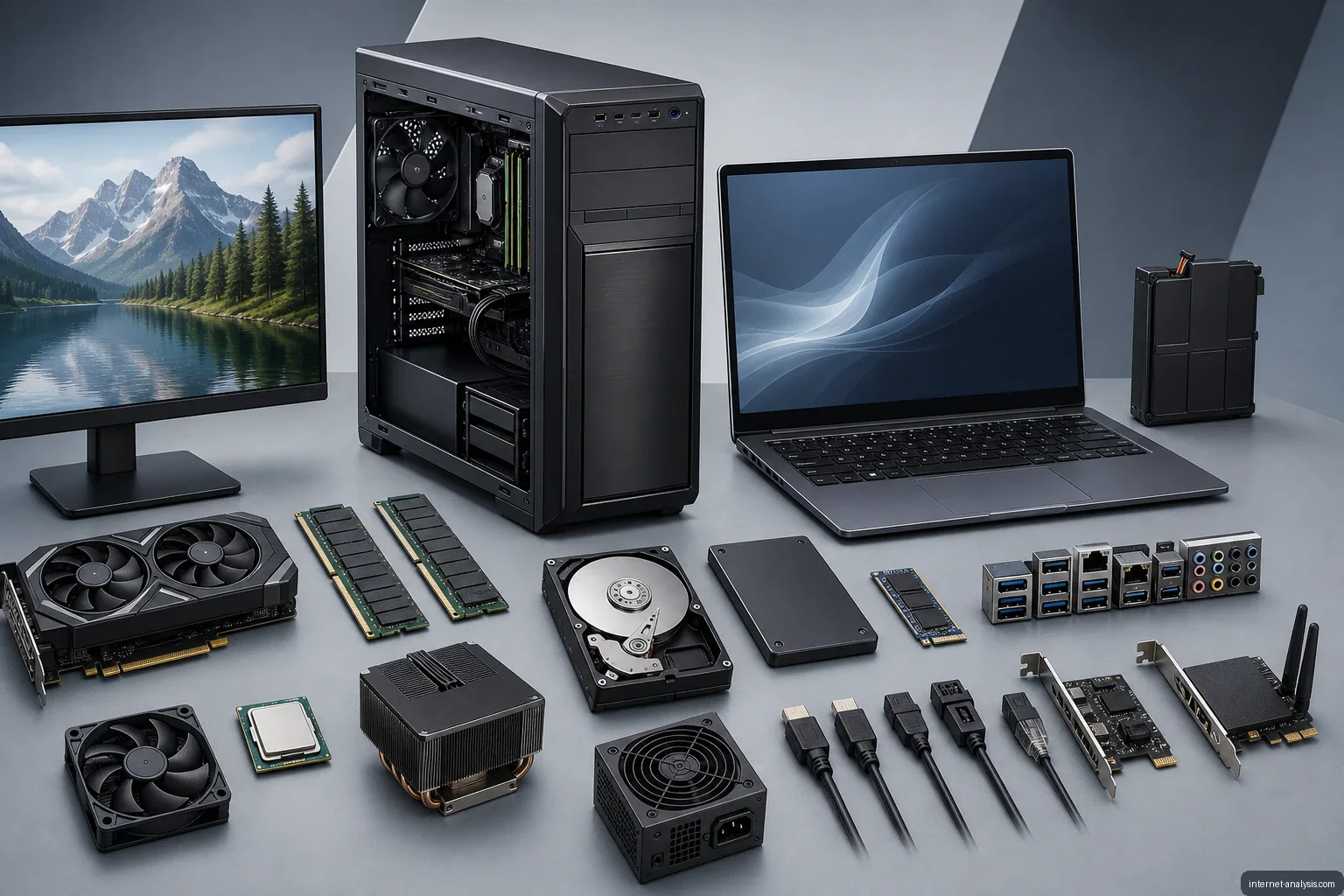
Computer specifications describe the components and capabilities that shape a system’s performance, storage capacity, responsiveness and suitability for different tasks. Understanding these details can make it easier to compare computers and avoid paying for hardware that does not match your needs.
A newer computer may include more advanced technology, but age alone does not determine quality. The most useful system is one whose processor, memory, storage and other components fit the work it must perform.
Why computer specifications matter
A computer is made from several interconnected components, each with its own technical characteristics. No single specification tells the whole story. A fast processor can still feel limited when paired with too little memory, while a large hard drive does not necessarily make a computer faster.
Specifications help answer practical questions such as:
- How quickly can the computer complete everyday tasks?
- Can it run demanding applications or multiple programs at once?
- How much data can it store?
- Can its components be upgraded later?
- Does it provide the ports and connectivity required for peripherals?
Processor
The central processing unit, or CPU, executes instructions and performs much of the computer’s general-purpose processing. Important CPU details include the model, generation, number of cores and operating frequency.
Core count can affect how effectively a processor handles several workloads at once, while clock speed helps describe how quickly individual cores operate. These values should not be compared in isolation because processor architecture and generation also influence performance.
Memory
Random-access memory, commonly called RAM, temporarily holds information used by active programs. More memory generally allows a computer to keep additional applications, browser tabs and files open without relying as heavily on slower storage.
When reviewing memory specifications, consider:
- Capacity: The amount of working memory installed.
- Type and speed: The memory generation and its supported operating rate.
- Upgrade options: Whether the memory is removable, expandable or permanently attached to the motherboard.
Storage
Storage capacity determines how much space is available for the operating system, applications and personal files. The type of storage also affects startup times, file transfers and application loading.
Hard disk drives
A hard disk drive stores data on magnetic platters. It can provide substantial capacity, but its moving parts generally make it slower and more vulnerable to physical shock than solid-state storage.
Solid-state drives
A solid-state drive uses flash memory and has no moving mechanical components. It typically offers quicker access to files and makes a system feel more responsive. Capacity and performance are separate considerations: a larger drive stores more data, but size alone does not indicate speed.
Graphics hardware
The graphics processing unit, or GPU, produces visual output and accelerates workloads that can use parallel processing. Integrated graphics share system resources and may be sufficient for routine computing. Dedicated graphics hardware has its own processing resources and is better suited to workloads such as demanding games, 3D applications and some forms of media production.
Other specifications to examine
A complete assessment should extend beyond processor, memory and storage. Depending on the type of computer, relevant details may include:
- Display size, resolution and refresh rate
- Battery capacity and expected runtime
- Available USB, display, audio and networking connections
- Wireless networking and Bluetooth support
- Operating-system compatibility
- Cooling, physical dimensions and weight
- Options for replacing or expanding components
Match the specifications to the workload
The best configuration depends on how the computer will be used. Basic web browsing, document editing and communication usually place different demands on hardware than gaming, software development, engineering applications or video production.
Before buying, identify the software and tasks the system must support. Then compare complete configurations rather than focusing on one impressive number. Balance is important: the processor, RAM, storage and graphics hardware should complement one another.
When expert guidance is useful
Technical terminology can be difficult for buyers who do not regularly work with computer hardware. In that situation, advice from a knowledgeable specialist or salesperson can help translate specifications into practical benefits. The buyer should still explain the intended workload, required software, storage needs and budget so that recommendations are based on actual use rather than specifications alone.
The key takeaway
Computer specifications are not merely a list of technical labels. They describe how a system is likely to perform, how much information it can hold and whether it can support particular applications. Learning the roles of the processor, memory, storage and graphics hardware provides a reliable foundation for evaluating a computer and making a more informed purchase.

Tomasz
Founder & Network Data Analyst at Internet AnalysisTomasz leads data-focused analysis at Internet Analysis, covering internet speed, latency, reliability, broadband infrastructure, and ISP performance. His work connects measurable network indicators with clear explanations for everyday users.
View author profile →How this article was prepared
Reviews measurement definitions, compares like-for-like network samples, checks geographic and time coverage, and documents limitations before drawing conclusions.
Read our methodology →Reviewed by the Internet Analysis Editorial Team
Reviewed by the Internet Analysis Editorial Team · Updated September 14, 2026
Meet the editorial team →Article context, review and related questions
Learn how processors, memory, storage, graphics and connectivity shape computer performance—and how to compare configurations for your needs.
| Measure | Value | Context |
|---|---|---|
| Article type | Computers | Editorial classification |
| Reading time | 4 minutes | Estimated at approximately 220 words per minute |
| Editorial review | Internet Analysis Editorial Team | Updated September 14, 2026 |
| Review date | September 14, 2026 | Latest stored article update |
Methodology
Reviews measurement definitions, compares like-for-like network samples, checks geographic and time coverage, and documents limitations before drawing conclusions.
Full methodology →Data freshness
- Page updated
- Data period
- September 14, 2026
- Responsible editor
- TomaszFounder & Network Data Analyst
Primary sources
- Internet Analysis editorial methodologyReview and limitation rules
Limitations
- The article is informational and may simplify technical details for readability.
- Products, standards, prices and service availability can change after the review date.
- The latest review date does not guarantee that every external product or service remains unchanged.
Related questions
What is the main point of “Computer Specifications: A Practical Guide to Choosing the Right Hardware”?
Learn how processors, memory, storage, graphics and connectivity shape computer performance—and how to compare configurations for your needs.
How was this article prepared?
Reviews measurement definitions, compares like-for-like network samples, checks geographic and time coverage, and documents limitations before drawing conclusions.
When was this information last reviewed?
The latest stored review or update date is September 14, 2026.