Prepare consistent website images with PixPack
A practical workflow for batch WebP conversion, product image sizing and local image preparation with PixPack by improveIT.pl.
Download app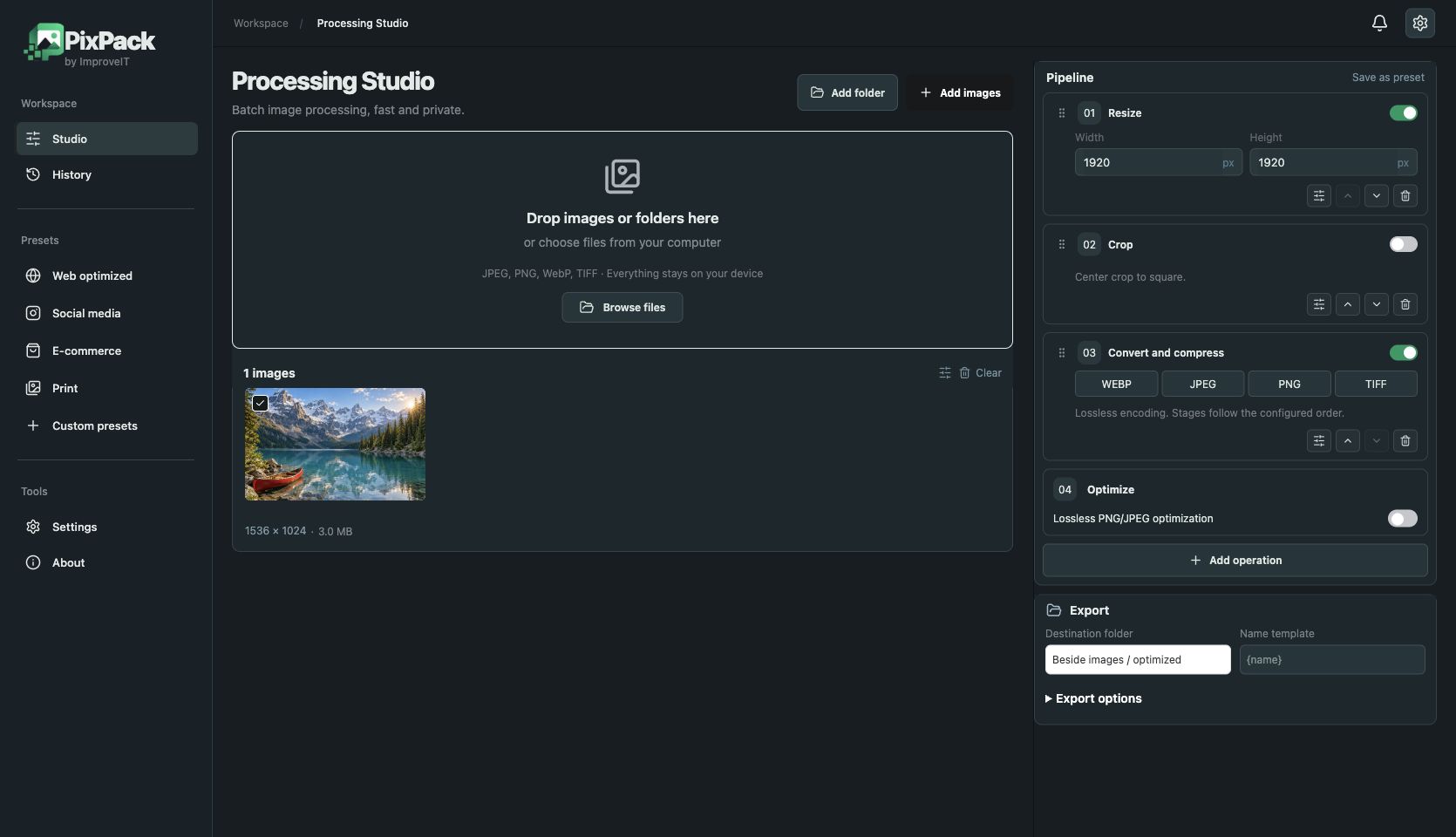
Start with the space an image must fill: a catalogue thumbnail, a product gallery or a full-width header. Record the intended dimensions before choosing a format. Keeping a full camera original in a small card wastes transfer and storage even when the file extension changes.
PixPack combines resizing, cropping, conversion and watermarking in an ordered batch. Keep originals in a separate folder, export a small representative sample and inspect fine text, gradients and transparent edges before processing the whole catalogue.
WebP export uses lossless encoding. That does not undo changes introduced by resizing or cropping, and it does not guarantee a smaller file than every JPEG source. Compare output bytes and visual quality on the same input files.
Free allows five unique queued files without an account. Premium costs $9.99 USD once and removes the queue limit after verified activation. Images are processed locally; checkout and licence verification use the shared improveIT gateway.
A repeatable workflow
- Choose five representative images, including text, a photograph and transparency.
- Set dimensions to match the website component and select contain or cover deliberately.
- Choose WebP, JPEG or PNG for the destination; preview before exporting.
- Compare file sizes and appearance, verify website compatibility, then process the remaining batch.
Live operation previews
Review resize, crop and colour changes before processing the whole queue.
Crop, rotate and resize
Choose crop ratio and position. Resize with contain, cover or stretch.
Colour and detail
Adjust brightness, contrast, exposure, saturation, gamma and sharpening.
Watermarks and AI marker
Add an image watermark or visible AI marker, controlling position, scale and opacity.
Presets and history
Save custom settings, use presets and revisit previous processing jobs.
Export controls
Choose output directory and filename template. Premium supports multiple output formats in one job.
Download PixPack 0.1.9
Choose a package for your computer.
Other systems and versions
File verification
SHA-256 checksums, GPG signatures and public key for verifying your downloads.
PixPack 0.1.9 with Stripe and Premium. macOS Apple silicon and Intel: Developer ID signed and Apple notarized. Windows x64 and ARM64: no Authenticode signature. Linux x64 and ARM64: DEB and AppImage with detached GPG signatures (.asc).
View plans on the official product website
Find your workflow
Questions before you start
Does PixPack upload my images?
Image processing runs on your computer. Payment and licence verification require network requests; they are separate from image processing.
Is WebP always smaller?
No. Size depends on the source image and encoding. Test representative files instead of relying on a fixed compression percentage.
What can I test for free?
Free supports up to five unique queued files without an account. Premium removes the queue limit after licence activation.
Free: $0. Premium: $9.99 USD, one-time purchase with a lifetime licence. Final amount and taxes are shown before payment in Stripe.
Compare PixPack with the free browser image resizer
Official PixPack by improveIT.pl — product, compatibility and plans